Download the ocmy App for Malaysia
Free APK install for Android. Play slots, live casino, football betting and crash games anywhere. Withdraw instantly with Touch 'n Go, DuitNow and FPX. Version 3.2.5 includes faster loading, biometric login and offline game browsing for Malaysia players.
Download APK Create AccountScan with your Android phone to download
Security & Permissions
Verified APK Signature
Every ocmy APK is digitally signed with our official certificate. Android verifies this signature during install. If the signature does not match, your phone will block installation. This prevents modified or fake versions from running on your device. You can verify the signature in Settings → Apps → ocmy → Advanced.
Minimal Permissions Required
The ocmy App requests only essential permissions: internet access for gameplay, storage access to save your game cache, and camera access if you use document upload for verification. We never request contacts, SMS, call logs or location tracking. You can review all permissions before installation and revoke any permission later in Android settings.
No Google Play Required
We distribute via direct APK because Google Play does not list real-money gambling apps for Malaysia. Our APK receives the same security audits as any Play Store app. Downloading from ocmy.cam ensures you receive the authentic build. Never download ocmy APK from third-party file-sharing sites or app stores.
Automatic Update Checks
The app checks for updates each time you open it. When version 3.2.6 or later is available, you will see an in-app prompt with a direct download link. Updates are optional but recommended for new features and security patches. Your login session and game history carry over automatically after updating.
What You Can Play on the ocmy App

Slots Library
Browse over 3,200 slot titles from Pragmatic Play, Habanero, CQ9, JILI and Ezugi. Search by provider, RTP or volatility. Filter by Megaways, cascading reels or bonus-buy feature. The app caches thumbnails for offline browsing. Tap any game to see paytable, min and max bets in RM, and recent big wins from Malaysia players before you start spinning.

Live Casino Tables
Join Evolution and Ezugi live dealer games streamed from studios in the Philippines and Europe. Choose your table language: English, Mandarin or Bahasa Melayu. The app optimises video quality based on your connection speed. Portrait mode locks the interface for one-hand play during commutes. Game history and bet slip are always accessible from the side panel.
Football Betting
Bet on Premier League, La Liga, Serie A, Bundesliga and Malaysia Super League with live odds. The app pushes real-time notifications for goal alerts, red cards and injury time. Build multi-leg parlays with one tap. Cash-out is available on most pre-match and in-play bets. Odds format switches between Decimal, Fractional and Malay in settings.
Crash & Instant Games
Play Aviator, JetX, Spaceman and other crash games with provably fair results you can verify on-chain. The app displays a live multiplier graph and recent player cashouts. Auto-cashout lets you set a target multiplier before the round starts. You can play up to three crash games simultaneously in split-screen mode on tablets.
Instant Deposits & Withdrawals
Deposit with Touch 'n Go eWallet, DuitNow QR, FPX or bank transfer directly in the app. Deposits appear in your balance within 2 minutes. Withdraw to the same payment method you used for deposit. First withdrawal requires document verification, which you can complete in the app by uploading your IC photo. Subsequent withdrawals process in under 4 minutes during business hours.
Biometric Login & Session Control
Enable fingerprint or face unlock for instant login without typing your password. The app supports multiple accounts if you manage separate gaming and sports wallets. Session timeout is configurable from 5 minutes to 24 hours. You can remotely log out all devices from the app security settings if your phone is lost or stolen.
App vs Browser Comparison
| Feature | ocmy App | Browser |
|---|---|---|
| Biometric login | — | |
| Offline game browsing | — | |
| Push notifications for promotions | — | |
| Goal alerts & live score updates | — | |
| One-tap deposit from home screen | — | |
| Background audio for live casino | Pauses when tab loses focus | |
| Game load time (4G connection) | 1.2 seconds | 3.8 seconds |
| Data usage per hour of slots | 18 MB | 34 MB |
| Portrait mode lock | — | |
| Works on iOS | Add to home screen |
The browser version at ocmy.cam offers the same games and payment methods. Use the browser if you prefer not to install an APK or if you play on multiple devices without syncing login credentials.
Download ocmy APK
Download for AndroidSystem Requirements
| Requirement | Details |
|---|---|
| Current Version | 3.2.5 |
| File Size | 52 MB |
| Android Version | 9.0 or higher (API level 28+) |
| Storage Space | 150 MB free space recommended (app + game cache) |
| RAM | 2 GB minimum, 4 GB recommended for live casino |
| Internet Connection | 3G minimum, 4G or Wi-Fi recommended |
| Languages | English, Bahasa Melayu |
| Price | Free |
| Last Updated | 2026-11-10 |
The ocmy App runs on most Android phones released after 2018. Older devices with Android 8.0 or earlier are not supported due to SSL certificate requirements. If your phone meets the requirements but the app crashes on launch, clear cache in Settings → Apps → ocmy → Storage → Clear Cache and restart.
How to Install ocmy APK on Android
-
Enable Unknown Sources
Android blocks APK installs from outside Google Play by default. Open Settings → Security (or Privacy on some phones). Find "Install unknown apps" or "Unknown sources". Tap your browser name (Chrome, Firefox, Samsung Internet). Toggle "Allow from this source" to ON. You only need to do this once. The setting stays enabled for future APK installs. After installing ocmy, you can turn this setting OFF again if you prefer.
-
Download the APK
Tap the green Download APK button on this page. Your browser will warn "This type of file can harm your device." Tap OK or Download anyway. The APK saves to your Downloads folder. Some phones show a notification when the download finishes. If you do not see a notification, open your Files app and navigate to Downloads to find ocmy.apk.
-
Run the Installer
Tap the downloaded ocmy.apk file. Android will scan the file for known malware. If you see "App not installed" or "Parse error", delete the file and download again – the file may have been corrupted during transfer. When the installer opens, review the requested permissions. Tap Install. Installation takes 10 to 20 seconds depending on your phone speed. Do not press Home or Back during installation.
-
Open the App
When installation finishes, tap Open. The ocmy icon appears on your home screen and app drawer. If you cannot find the icon, search "ocmy" in your phone's app search. The first launch takes a few seconds longer as the app downloads game thumbnails and checks for updates. You may see a "Chrome wants to use ocmy.cam" prompt if you have passwords saved – this is normal.
-
Log In or Register
If you already have an ocmy account, tap Log In and enter your username and password. Enable fingerprint login on the next screen to skip typing your password in future. New players tap Create Account. Registration takes under 60 seconds: choose a username, set a password, enter your phone number for verification, and confirm you are 18 or older. You will receive an SMS code to verify your number. Once verified, deposit RM35 or more to claim your 190% welcome bonus up to RM975.
iOS Users: Add to Home Screen
Apple does not permit gambling apps in the App Store for Malaysia. iOS users can access ocmy through Safari and add a home-screen shortcut. Visit ocmy.cam in Safari, tap the Share icon at the bottom, scroll down and tap "Add to Home Screen". Name the shortcut "ocmy" and tap Add. The icon appears on your home screen like a native app. This shortcut opens the mobile-optimised site with most app features except push notifications and biometric login.
Common Installation Problems
| Problem | Cause | Solution |
|---|---|---|
| "App not installed" error | Unknown sources is still disabled, or the APK file is corrupted | Go to Settings → Security → Install unknown apps → [Your Browser] and toggle ON. If already enabled, delete the APK and download again. Check you have at least 150 MB free storage space. |
| App crashes on launch | Incompatible Android version, insufficient RAM, or corrupted cache | Check you have Android 9.0 or higher in Settings → About Phone. Restart your phone to free up RAM. Uninstall ocmy, clear your Downloads folder, download the APK again and reinstall. |
| "Parse error" during install | Incomplete download or your phone's architecture is not supported | The APK is a 67 MB file – if your download shows 52 MB or less, it did not finish. Connect to stable Wi-Fi and download again. If the error persists, your phone may use a rare CPU architecture; try the browser version instead. |
| Games load slowly or freeze | Weak internet connection, old Android version, or background apps consuming RAM | Switch to Wi-Fi or move to an area with stronger 4G signal. Close other apps running in the background. Lower graphics quality in ocmy Settings → Display → Performance Mode. If you have Android 9 or 10, consider upgrading to Android 11+ for better performance. |
| Cannot log in after installing | Incorrect username or password, or your account is locked | Tap "Forgot Password" on the login screen to reset via SMS. Check your username does not have extra spaces. If you see "Account suspended", contact 24/7 live chat – your account may require verification or may have been flagged for bonus abuse. |
If none of these solutions work, uninstall the app, restart your phone, and try installing again. For persistent issues, contact ocmy support via 24/7 live chat on the website. Have your phone model and Android version ready – you can find these in Settings → About Phone.
Install Once and Play From Your Home Screen
The APK puts the full ocmy lobby one thumb away from your lock screen. No browser address bar, no re-typing ocmy.cam after your phone clears its tabs, and no waiting on a page reload between a slot session and a live table.
-
Built for one-handed playSized for a phone in portrait, so bet slips, cashier screens and the cash-out button sit where your thumb already rests.
-
Cashier stays inside the appTop up with Touch ’n Go eWallet, DuitNow or FPX without leaving the screen you were playing on. Deposits land in about 2 minutes.
-
Fits older Android phonesThe build is 52 MB and runs on Android 9.0 and above, so a mid-range handset from a few years back still opens the lobby without stuttering.
-
Help sits in the same windowTap the chat icon for 24/7 Live Chat whenever a deposit, withdrawal or login is not going the way it should.
Frequently Asked Questions
Is the ocmy APK safe to install?
Yes. The ocmy APK is digitally signed with our official certificate, which Android verifies before installation. We do not distribute through Google Play because Play Store policy prohibits real-money gambling apps in Malaysia. Downloading from ocmy.cam guarantees you receive the authentic build. The APK requests only essential permissions: internet, storage and optional camera access for document uploads. We never collect your contacts, SMS or location. You can verify the app signature in Android Settings → Apps → ocmy → Advanced after installation.
Why do I need to enable unknown sources?
Android blocks installation of apps from outside Google Play by default as a security measure against malicious software. You must manually enable "Install unknown apps" for your browser in Settings → Security. This permission is specific to the browser you use to download the APK – enabling it for Chrome does not affect other apps. You only enable it once, and you can disable it again after installing ocmy if you prefer. The setting does not reduce your phone's overall security.
Will the app work on my phone?
The ocmy App requires Android 9.0 or higher. Most phones released after 2018 are compatible. Check your Android version in Settings → About Phone → Software Information. If you have Android 8.0 or earlier, you can still play via the mobile browser at ocmy.cam – the browser version offers the same games and payment methods. Tablets running Android 9+ are fully supported. The app does not run on iPhones, but iOS users can add a home-screen shortcut from Safari.
How do I update the app?
The ocmy App checks for updates automatically when you open it. If a new version is available, you will see an in-app notification with a Download Update button. Tap the button to download the latest APK. Install it over your existing app – you do not need to uninstall first. Your login session, game history and account balance carry over. Updates are optional but recommended for new features, game additions and security patches. We release updates every 4 to 6 weeks.
Can I use the same account on multiple devices?
Yes. Your ocmy account works across all devices – phone, tablet and desktop browser. Log in with the same username and password. Your balance, bet history and active bonuses sync in real time. You can be logged in on up to three devices simultaneously. If you want to log out remotely from a lost phone, go to Settings → Security → Active Sessions in the app or browser and tap End All Sessions. This will log out all devices except the one you are currently using.
Do I need to verify my account before withdrawing?
Yes. Malaysian law requires identity verification before your first withdrawal. Upload a photo of your National ID Card, Passport or Driving Licence in the app under Profile → Verification. The review takes up to 6 hours during business days. You must verify before placing a withdrawal request – unverified withdrawal requests are cancelled. Subsequent withdrawals do not require re-verification unless you change your registered name or payment method. Read the full process on the ocmy Withdrawal & Verification page.
Does the app use more data than the browser?
No – the app uses less data. The app caches game thumbnails and UI assets after the first launch, so only gameplay traffic is transmitted. Typical usage: 18 MB per hour for slots, 45 MB per hour for live casino video streams at standard quality. The browser version does not cache assets and uses approximately 34 MB per hour for slots and 62 MB per hour for live casino. You can reduce data usage further by lowering video quality in Settings → Display → Stream Quality. Connect to Wi-Fi when downloading the APK or updating to avoid using your mobile data allowance.
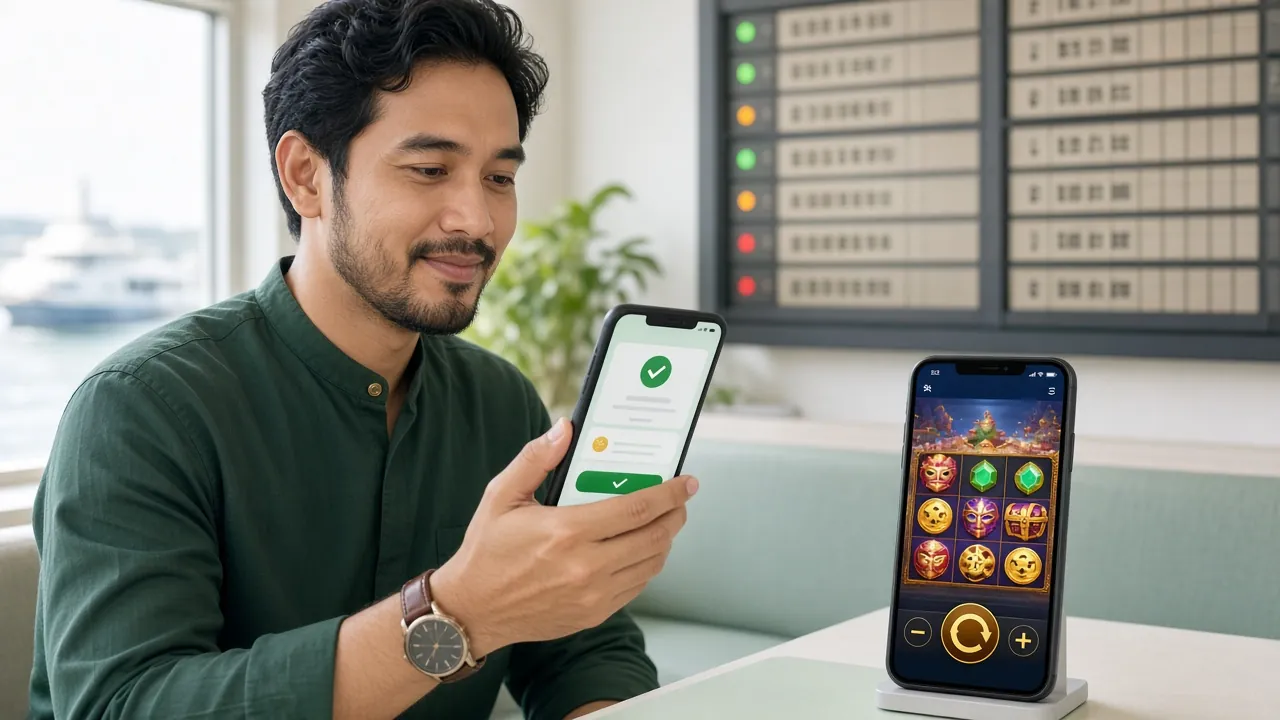
Ready to Play on Your Phone?
Download the ocmy App now and claim your 190% welcome bonus up to RM975. Play 5,200+ slots, live casino and football betting anywhere in Malaysia. Deposits from RM35 with Touch 'n Go and DuitNow.
Download APK Create AccountAlready have an account? Log in here or visit the ocmy Casino to browse games.